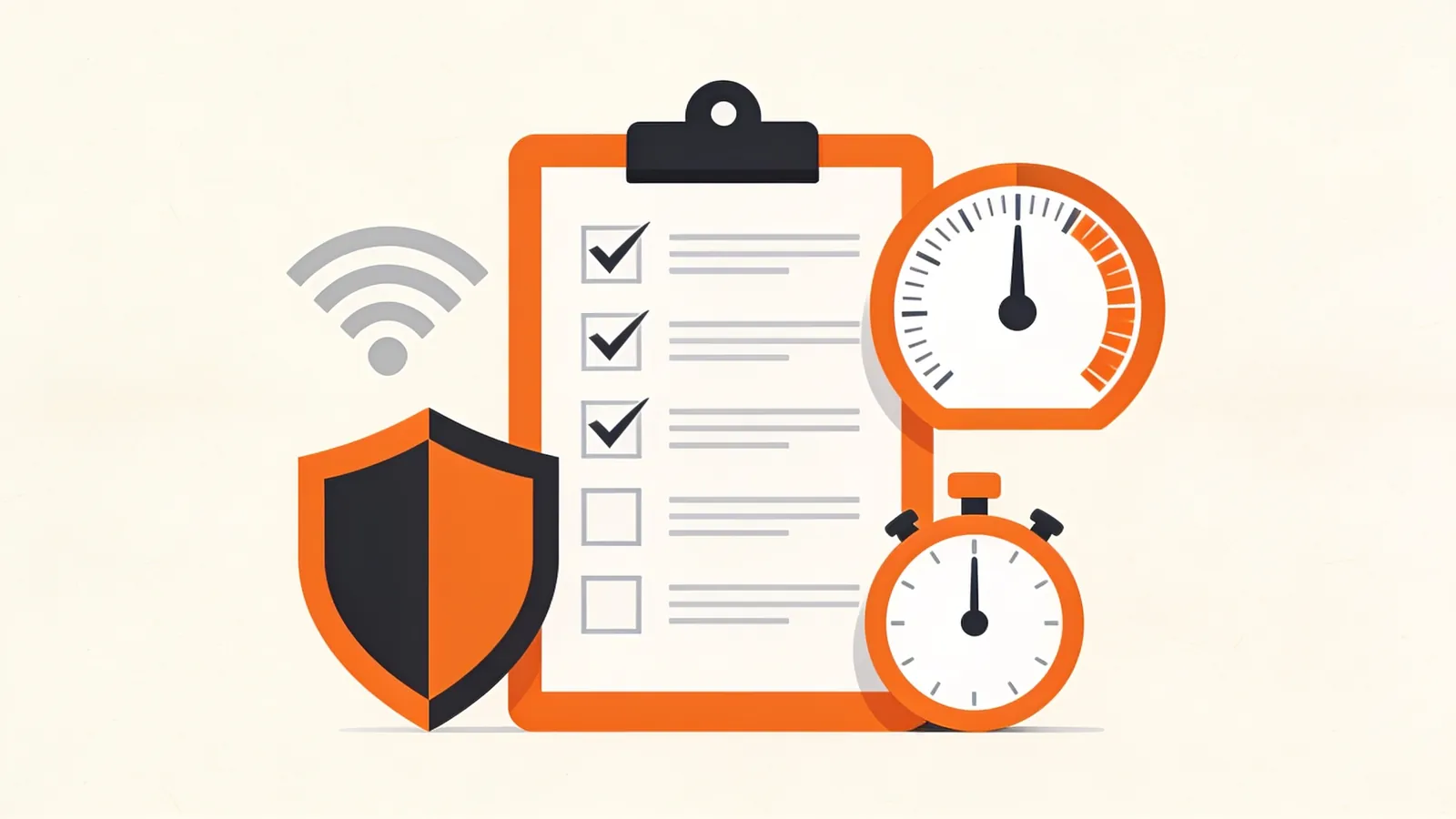
The Checklist
- ValidNo errors in the Feed Validator.
- DiscoverableAutodiscovery tags on every page.
- Stable IDsGUIDs that never change.
- Correct datesReal publication times with time zones.
- Full contentOr at least a useful summary.
- ImagesA thumbnail per item, absolute URLs.
- CacheableETag or Last-Modified with 304 responses.
- ReachableNot blocked by your firewall or bot protection.
- PermanentThe same URL forever, redirects when it moves.
Make Your Feed Discoverable
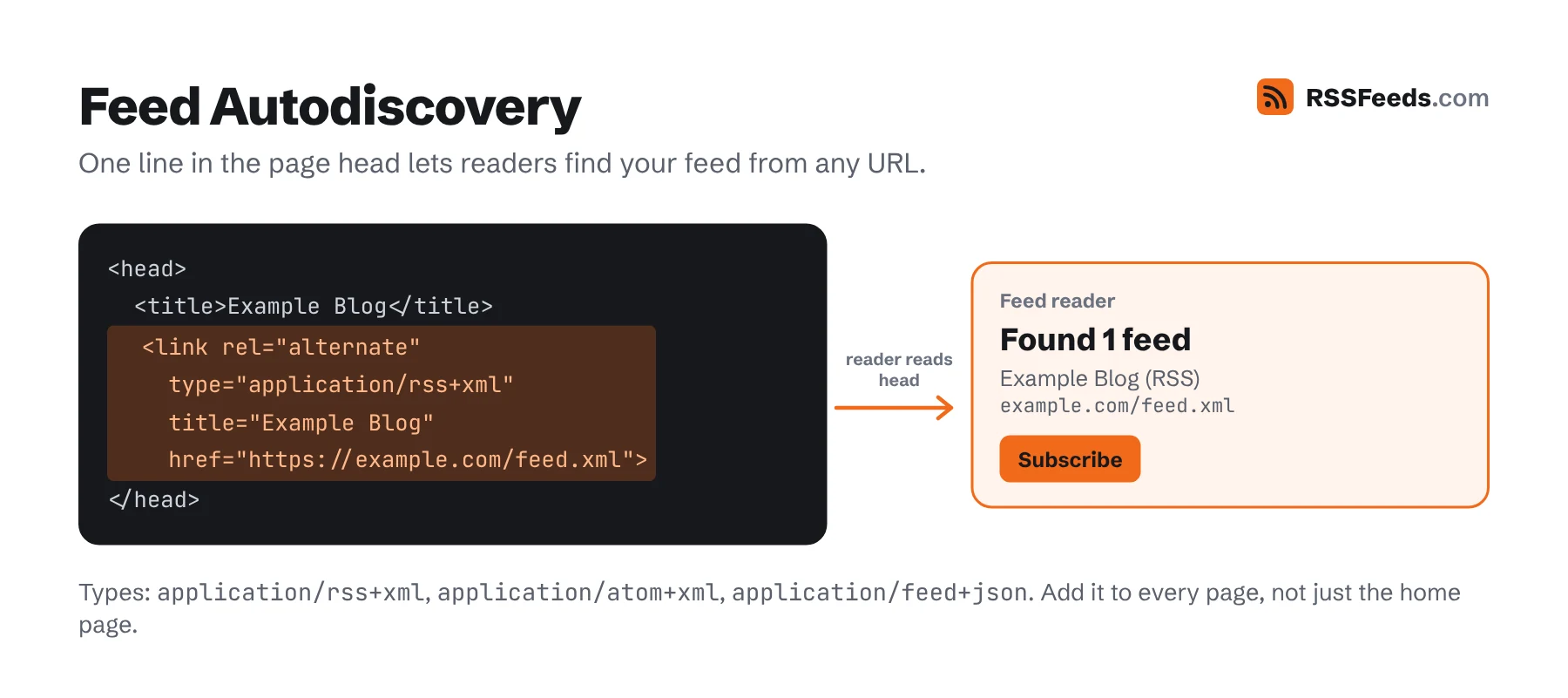
Put an autodiscovery link in the <head> of every page, not just the home page. Readers use it when someone pastes any URL of your site:
<link rel="alternate" type="application/rss+xml" title="Example Blog" href="https://example.com/feed.xml">- Give each link a clear
title; readers show it when there are several feeds. - On category or author pages, add the feed for that category or author as well.
- Link to the feed visibly too, ideally with the orange icon and the word "RSS" or "Subscribe".
Never Change a GUID
Readers decide whether an item is new by its guid (RSS), id (Atom) or id (JSON Feed). If it changes, every subscriber sees the post again as new. That happens when you:
- switch from
httptohttpsor change your domain while using URLs as guids; - migrate to a new CMS that builds guids differently;
- edit a post title and your guid is derived from the title.
Store the guid with the post in your database when it is first published, and never recompute it. When you migrate, carry the old guids over. If guids aren't URLs, add isPermaLink="false".
Get Dates Right
- Use the moment the post went public, not when the draft was created.
- Always include a time zone. A missing or wrong offset moves posts by hours, which can put them in the future.
- Don't "bump" old posts by changing their publication date when you make small edits. In Atom and JSON Feed, use
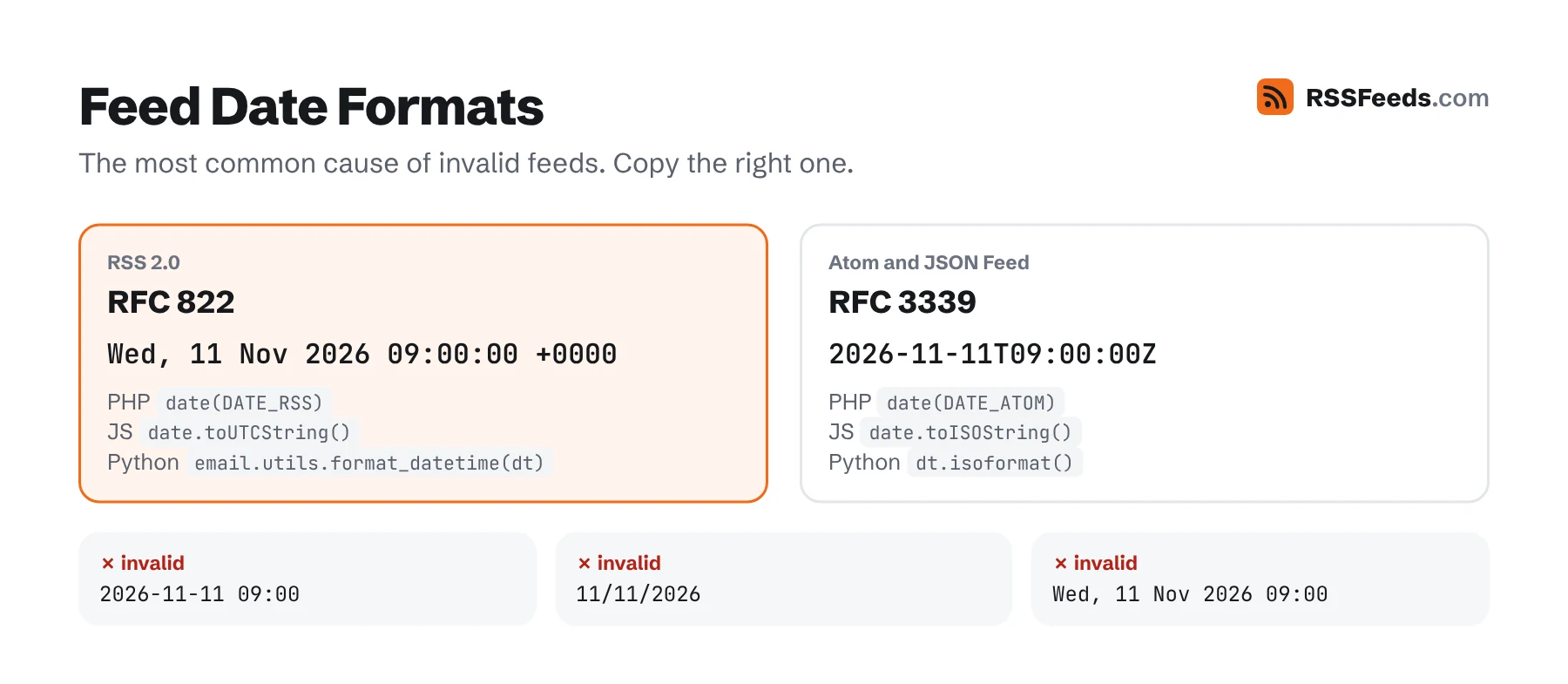
updated/date_modifiedfor edits. - Formats: RFC 822 in RSS (
Wed, 11 Nov 2026 09:00:00 +0000), RFC 3339 in Atom and JSON Feed (2026-11-11T09:00:00Z).
Full Content or Summaries?
Readers strongly prefer full content: it's why they use a reader. Publishers fear losing visits. In practice, full-text feeds keep subscribers loyal, and the people who read in a feed reader rarely become regular site visitors anyway. A good compromise:
- A short
descriptionwith the summary, and the full article incontent:encoded. - If you must use summaries, make them real summaries of a few sentences, not "Read more…".
- Keep the link to the original prominent; a short footer such as "Originally published on Example Blog" helps against scrapers.
Clean HTML
- Make every link and image source absolute. Your content is displayed on other domains.
- Don't rely on CSS classes or JavaScript; readers strip them. Use semantic HTML: headings, paragraphs, lists, figures.
- Replace embeds (videos, tweets, interactive charts) with a link and a thumbnail; iframes are removed by most readers.
- Add
alttext to images. - Wrap HTML in CDATA or escape it, and strip invisible control characters that break XML.
Images and Thumbnails
Readers that show cards or magazine layouts need one image per item. Give them a media:thumbnail or an image enclosure rather than letting them guess from the content:
<media:thumbnail url="https://example.com/img/post-1200x630.jpg" width="1200" height="630" />A landscape image around 1200×630 – the same as your social sharing image – works everywhere. Add a channel image (or Atom icon and logo) so your feed has a recognisable logo.
How Many Items?
Ten to fifty items is the sweet spot. Too few, and a reader that checks once a day can miss posts on busy days. Too many, and the file becomes slow to download for every subscriber on every check. Keep the feed under 1 MB. Need an archive? Use paged feeds with rel="next" links (RFC 5005).
HTTP Caching: the Biggest Win
Readers check feeds many times a day. Support conditional GET so that unchanged feeds cost almost nothing:
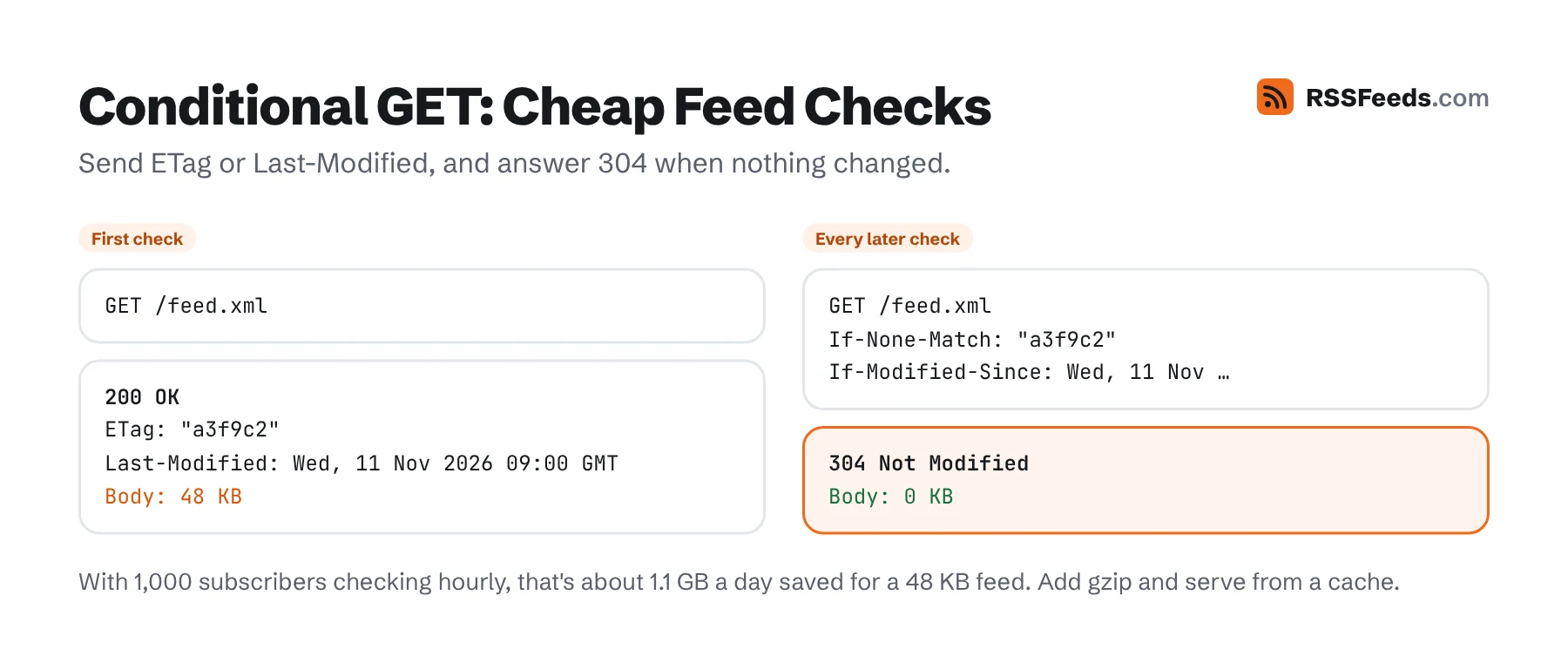
- Send an
ETagand/orLast-Modifiedheader with the feed. - Readers send them back as
If-None-MatchandIf-Modified-Since. - If nothing changed, answer
304 Not Modifiedwith an empty body.
HTTP/1.1 200 OK
Content-Type: application/rss+xml; charset=utf-8
ETag: "a3f9c2"
Last-Modified: Wed, 11 Nov 2026 09:00:00 GMT
Cache-Control: public, max-age=900
Content-Encoding: gzip
Also enable gzip or Brotli compression – XML compresses extremely well – and serve the feed from a cache or CDN rather than generating it on every request. Our validator shows which of these headers your feed sends.
Don't Block the Readers
A surprisingly common problem: bot protection, web application firewalls and CDN "bot fight" modes block feed readers, because readers are automated clients. Subscribers then silently stop receiving posts.
- Exclude your feed URLs from bot challenges, JavaScript checks and CAPTCHAs.
- Don't block requests just because the user agent mentions a bot or crawler.
- If you rate-limit, allow at least a request every few minutes per client.
- Test your feed from outside your network, for example with our validator.
Content Type and Encoding
| Format | Content-Type |
|---|---|
| RSS | application/rss+xml; charset=utf-8 |
| Atom | application/atom+xml; charset=utf-8 |
| JSON Feed | application/feed+json; charset=utf-8 |
application/xml and text/xml also work. Avoid text/html and text/plain. Make sure the charset in the header matches the encoding in the XML declaration, and use UTF-8 for both.
Keep the URL Forever
Subscribers never visit your site to see that your feed moved. When you change its address, redesign or switch platforms:
- Redirect the old feed URL to the new one with a
301– permanently, not for a few months. - For podcasts, also add
<itunes:new-feed-url>to the feed. - Keep the old guids, so the move doesn't flood readers with "new" items.
- Never let a feed URL return an HTML page, a login screen or a 404.
When People Open Your Feed in a Browser
Visitors who click a feed link see raw XML or get a download. Many publishers used an XSLT stylesheet to turn the feed into a friendly page, but Chrome removes XSLT support from November 2026, and Firefox and WebKit plan to follow. Alternatives:
- Link to a "Subscribe" page that explains feeds and offers buttons for popular readers, instead of linking straight to the XML.
- A CSS stylesheet (
<?xml-stylesheet type="text/css" href="/feed.css"?>) still works, though it can only style, not restructure, the XML. - Point people to a readable version, such as our Feed Viewer.
Going Further
- Push updates with a WebSub hub so readers get posts instantly: see real-time feeds.
- Offer several feeds: per category, per author, comments, and a JSON Feed for developers.
- Measure subscribers: services like Feedly and Inoreader report subscriber counts in their user-agent strings, so your server logs show how many people follow you. Add UTM parameters to links if you want to see visits from feeds in analytics.
- Help search engines: Google accepts RSS and Atom feeds as sitemaps in Search Console. A feed with your latest posts complements a full XML sitemap.
Sources and Further Reading
- RSS Best Practices ProfileRSS Advisory Board
- RSS AutodiscoveryRSS Advisory Board
- RFC 9110: HTTP SemanticsIETF
- RFC 9111: HTTP CachingIETF
- Best Practices for XML Sitemaps and RSS/Atom FeedsGoogle Search Central